
For Christmas Eve
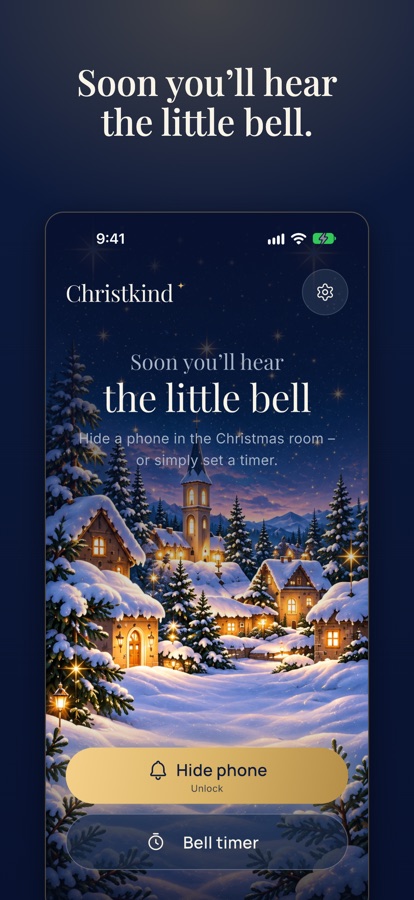
Soon you’ll hear the little bell.
Hide a phone in the Christmas room and ring the little bell once the Christ Child has been: by timer or by remote, even from your Apple Watch.
The timer is free. You unlock the remote once, with no subscription.
Android test: the app is still in testing on Google Play. Join the test group, then sign up as a tester here and install it from Google Play. Here’s how
iPhone test: try the app via TestFlight before it reaches the App Store. Join the test. Here’s how
How it works
Three steps to the bell
Hide a phone
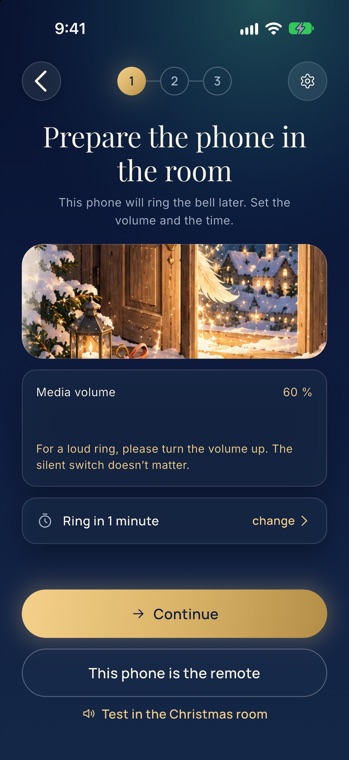
Put a phone with the app in the Christmas room, for example behind the tree. Set the volume beforehand.
Timer or remote
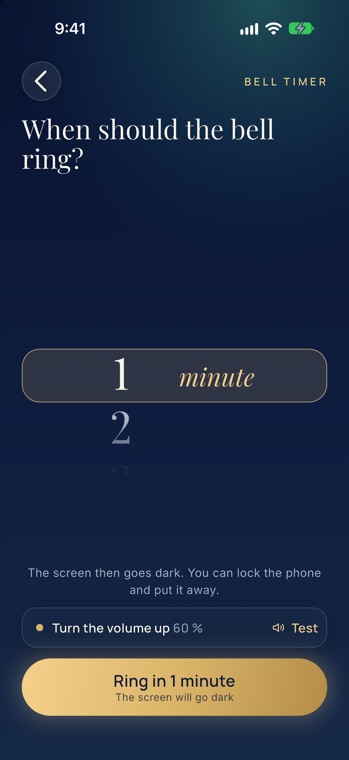
Set a timer from 1 to 120 minutes, or pair a second phone as a remote by QR code.
Ring the bell
At the chosen time or at the press of a button, real little bells ring, even with the phone locked.
Features
Everything you need on Christmas Eve
Bell timer
Set 1 to 120 minutes, lock the phone and put it away. The app rings on time while the screen stays dark. Free.
Remote
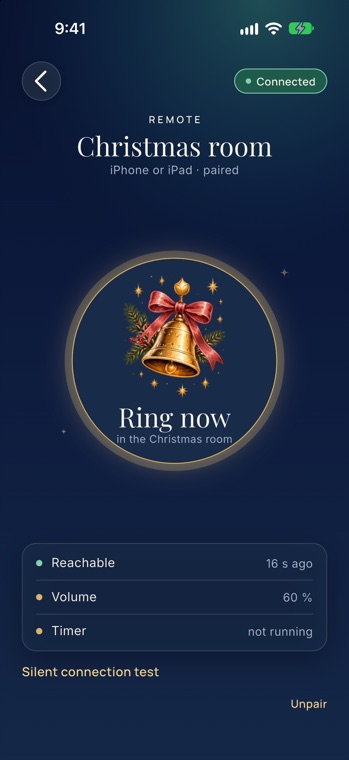
Your own phone rings the bell on the hidden device, from the next room or from anywhere. One tap is enough, even straight from the lock screen.
Apple Watch
With the Watch app you ring from your wrist. One golden button, nothing more. It is included with the unlock.
Alarm as a safety net
If the phone closes the app in the background, an alarm with the same bell steps in. So the presents never arrive in silence.
Pairing by QR code
The hidden phone shows a code, the remote scans it. No account, no sign-in, no ads.
Real bells
The sound is a real recording. You set the volume right in the app, with a test in the Christmas room.
A look inside
What the app looks like
Questions?
Help and FAQ
How do you pair two phones? Why does the app set an alarm? You’ll find the answers on the help page.
Go to Help